 Games
Games  Sport
Sport  Sign Up
  Bonuses
Panther Bet Login, Registration And Verification Processes Explained
Completing your Pantherbet register process is the essential first step for any South African player looking to access the premium sports betting services. Through this secure registration, we perform a mandatory identity check and process your age verification to ensure compliance with the 18+ legal age requirement. Signing up not only secures your user profile but also activates critical anti-money laundering (FICA) measures. Whether you are looking to claim exclusive loyalty points, enable two-factor authentication, or simply access the dashboard for a quick Panther Bet login, streamlined system ensures you can start betting with confidence and security immediately.
Benefits of Having a Personal Account
Once you complete the Pantherbet registration, you unlock features that go beyond simple betting. A verified personal profile grants you:
- Full Market Access: Bet on pre-match and live sports with the opportunity to win real money.
- Bonuses: Registered members can claim sports promotions and welcome offers.
- Loyalty Rewards: Participate in the VIP program for higher limits and cashback.
- Enhanced Security: Enable two-factor authentication (2FA) for login reinforcement.
How to Complete Pantherbet Registration
SA adults can complete their Panther Bet sign up in minutes by providing accurate personal information.
- Go to the Registration Page: Enter homepage and click the Sign Up button at the top right corner.
- Submit Basic Data: Provide your full name, valid mobile number, and email address. Create a strong password (8+ characters) containing at least one letter, number, and symbol.
- ID & Age Confirmation: Enter your official SA ID Number or Passport Number. This is critical for automatic FICA verification. Ensure your date of birth matches your ID.
- Confirm Terms: Tick the box to confirm you are 18+ and agree to the Terms and Conditions. We also recommend opting in for bonuses here.
- Finalize: Hit the Complete Sign Up button to create your account instantly.
Panther Bet Verification (FICA)
You start your verification (KYC) regulatory requirement the moment you finish your Pantherbet register online. The ID number submitted during sign-up allows us to perform an automatic data match.
Required Local Documents:
While standard ID verification is often instant, we may request additional documents to fully “FICA” your account, especially before a large withdrawal.
- Identity: Clear copy of ID Book, Smart ID Card, or Passport.
- Address: Utility bill or Bank Statement (not older than 3 months).

Note: The general average processing time to verify uploaded documents is approximately 3 minutes, provided the images (JPG, PNG, PDF) are clear and accurate.
Panther Bet Login Process
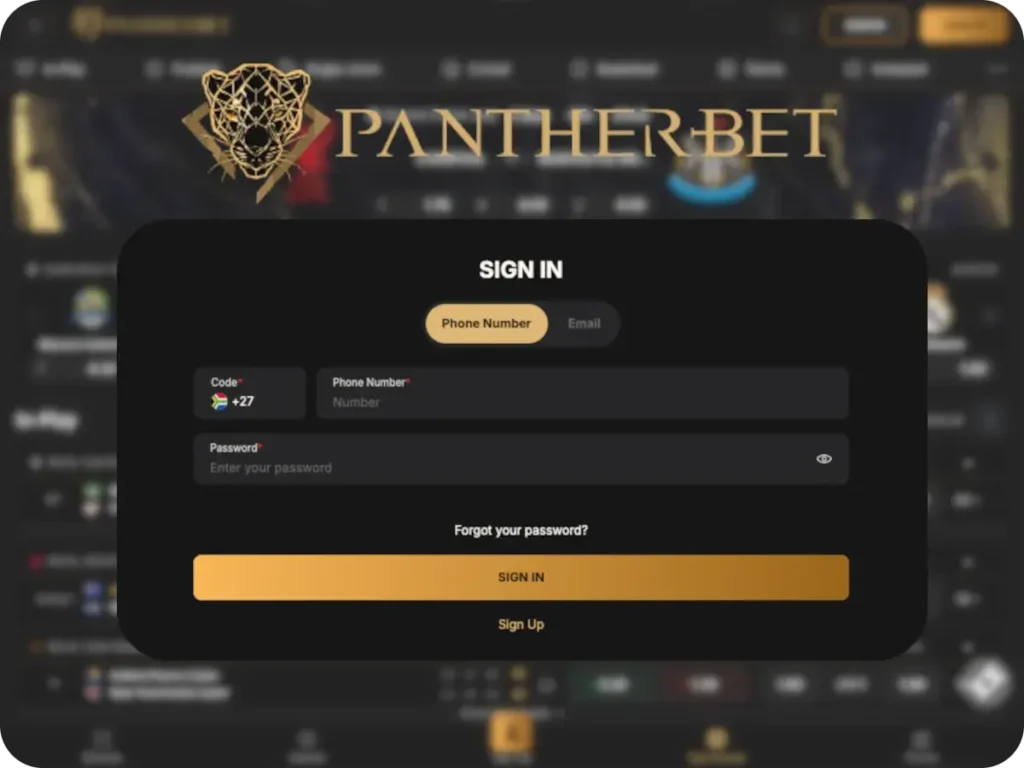
Performing a successful Panther bet login in South Africa is seamless on both desktop and mobile.
- Enter Login Dashboard: Click the Sign In button at the top right.
- Provide Credentials: Enter your registered email and password.
- Access Account: Hit the Log In button. Check the “Remember Me” box to save details for future sessions (recommended for personal devices only).
Security Tip: The security bot automatically signs out profiles that have been inactive for up to 1 hour. This is a standard safety feature.
Pantherbet Login Issues & Solutions
Unapproved logouts or password errors can happen. Here is how to solve common issues:
| Problem | Solution |
|---|---|
| Invalid Password | Ensure you type the password exactly as created (case sensitive). If it fails, use the “Forgot Password” link to reset it via email. |
| Unsupported Location | If you are travelling outside South Africa, access may be restricted due to licensing laws. Do not use a VPN, as this violates the T&Cs. |
| Session Timeout | You may be logged out after 1 hour of inactivity. This is not a suspension; simply log back in to continue. |
Personal Data Protection
The Panther Bet website runs on a secure SSL-encrypted server. We ensure that all player data shared during registration is protected. We strictly adhere to the POPI Act regarding data privacy and user rights.
Account Management & Closure
We allow players to terminate their accounts for responsible gambling reasons or personal preference.
- Withdraw Balance: Ensure your withdrawable balance is cleared.
- Contact Support: Reach out via live chat or email with a request to close the account.
- Confirmation: The agent will process the request. Note: In compliance with FICA laws, transaction records are retained for the mandatory statutory period (5 years) even after account closure.
Account Recovery
- Forgotten Password: Use the reset tool on the PantherBet login page.
- Inactive Status: If your account was suspended due to long-term inactivity, contact support. You may need to answer security questions to unlock it.
Temporary Suspension (Cooling-Off)
If you do not want to delete your PantherBet account permanently, use the self-exclusion tool. You can voluntarily lock your account for:
- 24 hours
- 7 days
- 1 month
- Lifetime self-exclusion
During this period, access to the profile is strictly blocked to ensure responsible gaming.